
How to create Ai Videos like a Pro
AI video creation has made it possible to produce impressive content without expensive cameras, actors, or advanced editing skills.
With the right AI video generator, prompts, and editing workflow, you can create professional videos for TikTok, Instagram Reels, YouTube, advertisements, and business content.
Here’s how to create an AI video like a pro.
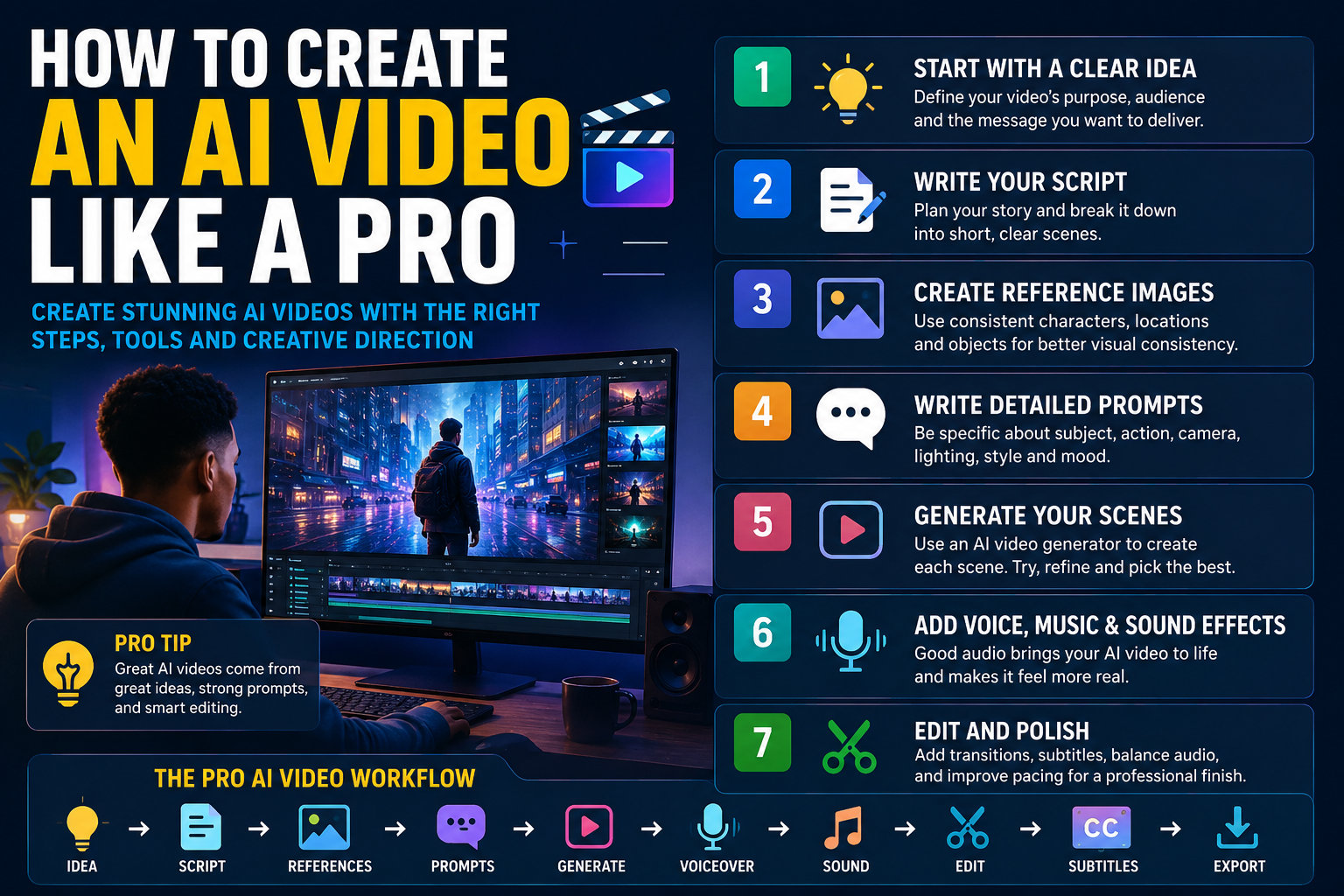
1. Start With a Clear Idea
Before generating anything, decide what your video is about, who it is for, and what you want viewers to do or feel.
For short videos, try this structure:
Hook → Story → Payoff → Call to Action
A strong concept makes every other stage easier.
2. Write Your Script
Don't generate random AI clips and try to connect them later. Write a short script first and divide it into individual scenes.
For example:
Scene 1: Character enters a workshop.
Scene 2: Character notices something unusual.
Scene 3: Close-up reaction.
Scene 4: Funny or surprising ending.
Short scenes also give you more control over AI-generated results.
3. Create Reference Images
Character consistency is one of the biggest challenges in AI video creation.
Create a reference image for your main character, product, vehicle, or location and reuse it where your AI tool supports references. This helps maintain similar clothing, appearance, colours, and environments between scenes.
4. Write Detailed AI Video Prompts
Instead of:
"A woman walking."
Try:
"Young woman walking through a modern city street, realistic movement, evening sunlight, cinematic tracking shot, natural facial expression, photorealistic commercial style."
A simple prompt formula is:
Subject + Action + Location + Camera + Lighting + Style
Adding camera directions such as close-up, wide shot, tracking shot, slow push-in, or over-the-shoulder shot can make your AI videos feel more cinematic.
5. Generate Your Video
Use a text-to-video or image-to-video AI generator to create each scene.
Don't expect the first generation to be perfect. Generate several versions, choose the strongest clips, and adjust your prompts when necessary.
6. Add Voice, Music and Sound Effects
Good audio can instantly make an AI video feel more professional.
Add natural voiceovers, appropriate background music, and sound effects such as footsteps, traffic, doors, engines, or environmental sounds.
Make sure dialogue matches the character and scene.
7. Edit Everything Together
Combine your best AI-generated clips in a video editor.
Focus on:
Smooth pacing
Clean transitions
Clear subtitles
Balanced audio
Character consistency
Removing awkward AI-generated frames
For TikTok, Instagram Reels, and YouTube Shorts, 9:16 vertical video is usually the ideal format.
The Pro AI Video Workflow
Follow this simple process:
Idea → Script → Reference Images → Prompts → Generate Scenes → Voiceover → Sound Effects → Edit → Subtitles → Export
The biggest secret to creating professional AI videos isn't simply using the best AI tool. It's combining good storytelling, detailed AI prompts, consistent visuals, realistic audio, and clean editing.
Start with short videos, experiment with different prompts, and improve your workflow with every project.
Final Tip
AI can generate the visuals, but you are still the director.
The better your idea, storytelling, and creative direction, the better your final AI video will be.
9 comments
Log in to join the conversationWe have to make good use of this AI era
I agree
❤️❤️❤️
Which app can this be done?
Google flow
Ok
Very correct
Gemini, Grok, Kling ai
Amazing