
Quibbles
Community
Welcome to the official Quibbles Community — the heartbeat of the platform! 💬
Here, you’ll find official updates, announcements, feature releases, platform tips, and behind-the-scenes stories about how Quibbles is growing. We also share community spotlights, contests, trending discussions, and opportunities to get involved.
This is your direct line to the Quibbles Team — a place to:
• Stay informed about new features and improvements 🔧
• Get updates on events, campaigns, and platform news 📢
• Share your feedback, report bugs, and suggest ideas 💡
• Learn how to make the most out of Quibbles 🌍
Whether you’re a new user finding your way or an active contributor shaping conversations, this is the space to connect directly with the people building Quibbles — and with fellow users making it thrive.
Let’s grow, share, and build together — one quib at a time. 🚀
630members
410posts
View community

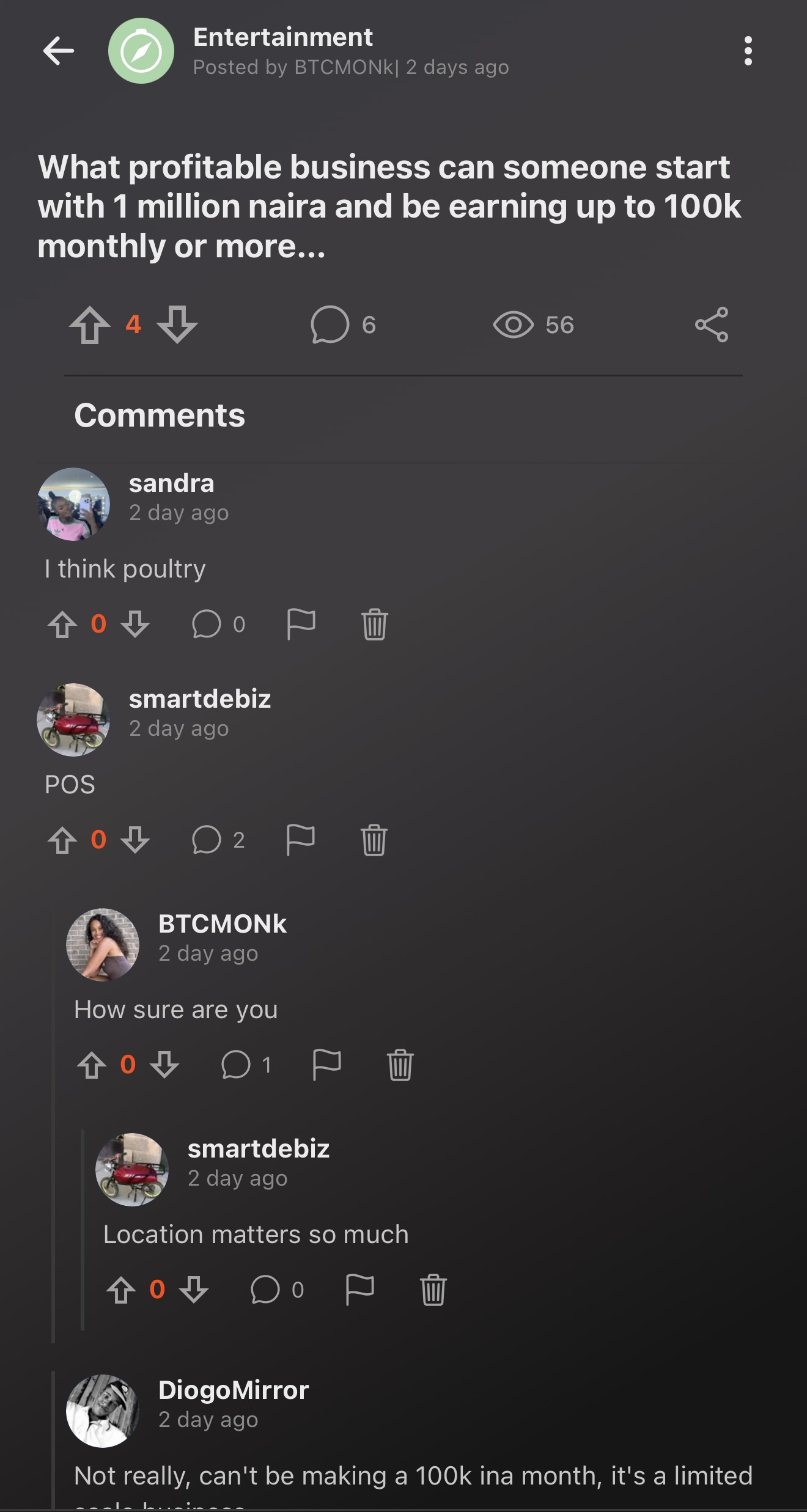
 Quibbles version 2 is coming
When you teach people how to make money 💰 they can confuse your source so don’t ever make that mistake….
Quibbles is a must have app in Nigeria
Show more posts
48 comments
Log in to join the conversationHow do we set it naaauuuuu😭
Go to your profile screen, click on the menu icon (the 3 vertical icon at top right), then click settings and you’ll see the theme selector under appearance.
Steady working steady development 💪
This is surely the next big thing..and I'm seeing it come hot 🔥🥹
The vision is clear!
We love it
We no like it khe?
We like it oooo
This is so cool.
Finally! Big ups to the team.
How do I change it to black
By requesting white, just as I requested black 😂 (jokes aside, I think the feature would be added anytime soon)
Go to your profile screen, click on the menu icon (the 3 vertical icon at top right), then click settings and you’ll see the theme selector under appearance.
Go to your profile screen, click on the menu icon (the 3 vertical icon at top right), then click settings and you’ll see the theme selector under appearance.
Wow that's awesome
To activate it, Go to your profile screen, click on the menu icon (the 3 vertical icon at top right), then click settings and you’ll see the theme selector under appearance.
Sharps
Hurrayy!!
No be "Hurrayy!!" Tell us how to set it naauuuu
Coooll🔥🔥🔥🔥🎉🎉🎉
How do we set it?
Go to your profile screen, click on the menu icon (the 3 vertical icon at top right), then click settings and you’ll see the theme selector under appearance.
Hi
hello
Where will one activate the dark mode on Quibbles?
Go to your profile screen, click on the menu icon (the 3 vertical icon at top right), then click settings and you’ll see the theme selector under appearance.
Thank you
More than like
@sodiq my Quibs no dey add again oo for 2 days now 😩
It's every 4 days that it sums up
Thank you so very much ❤️
The team is amazing 🤩
Big ups to y'all 💞
Definitely 🔥
How do I get the dark mode
Click on your profile