
Here's a short guide on how to navigate the app
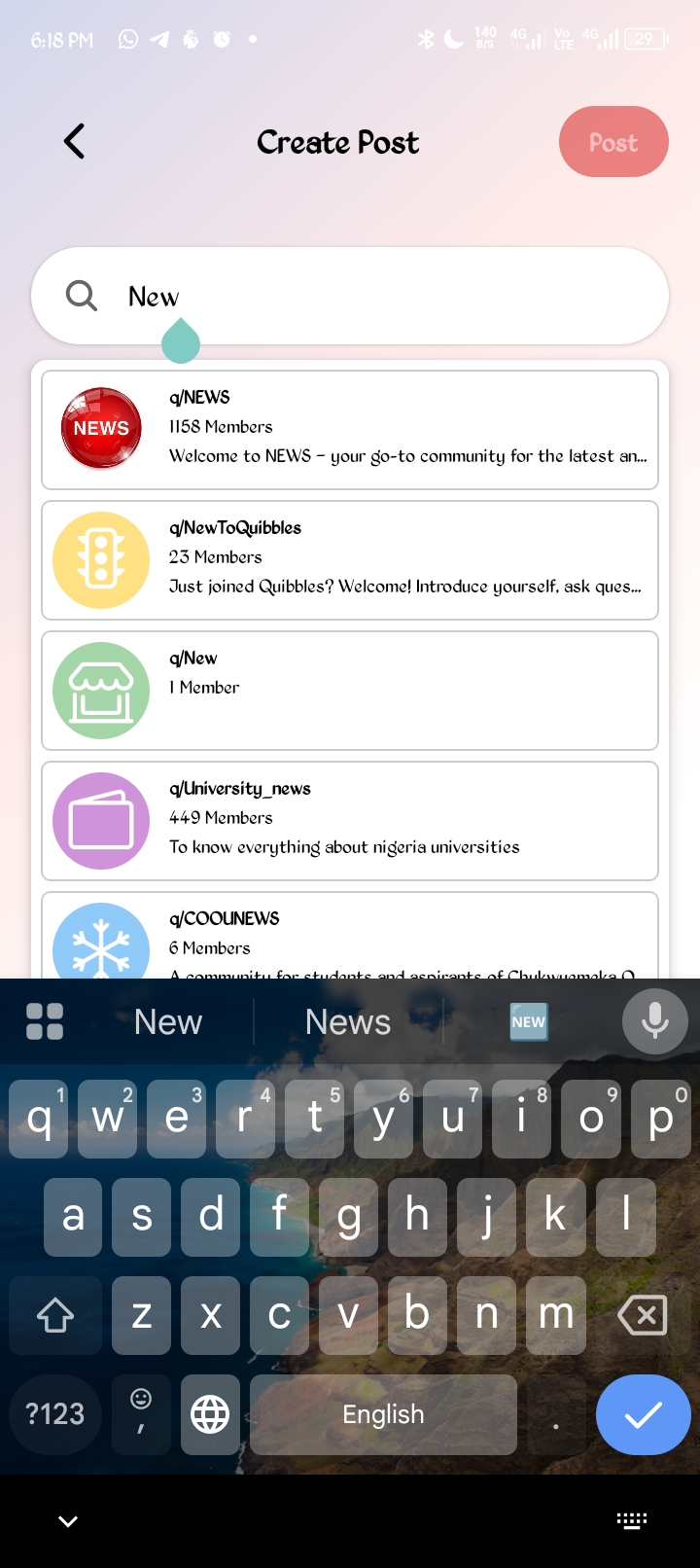
If you want to Create a post you follow these steps
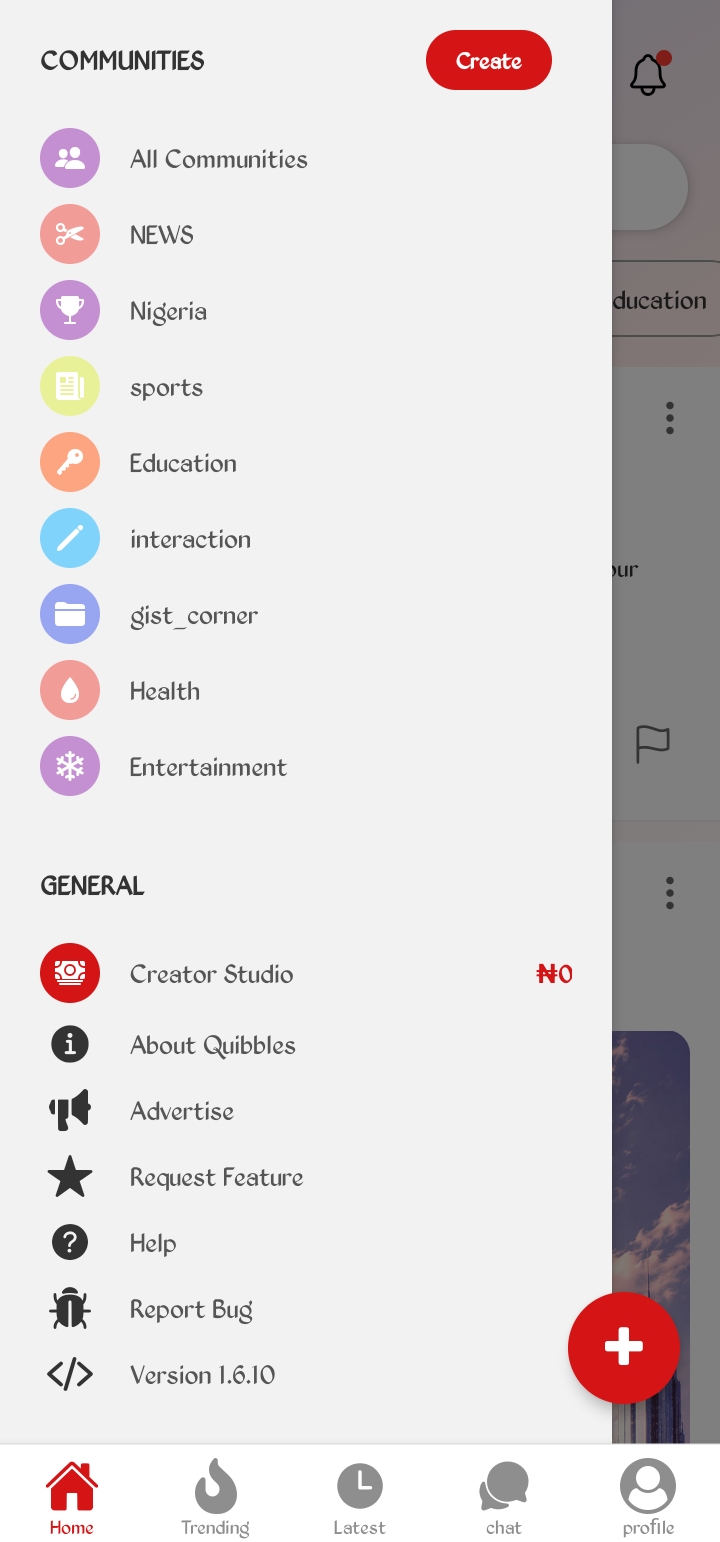
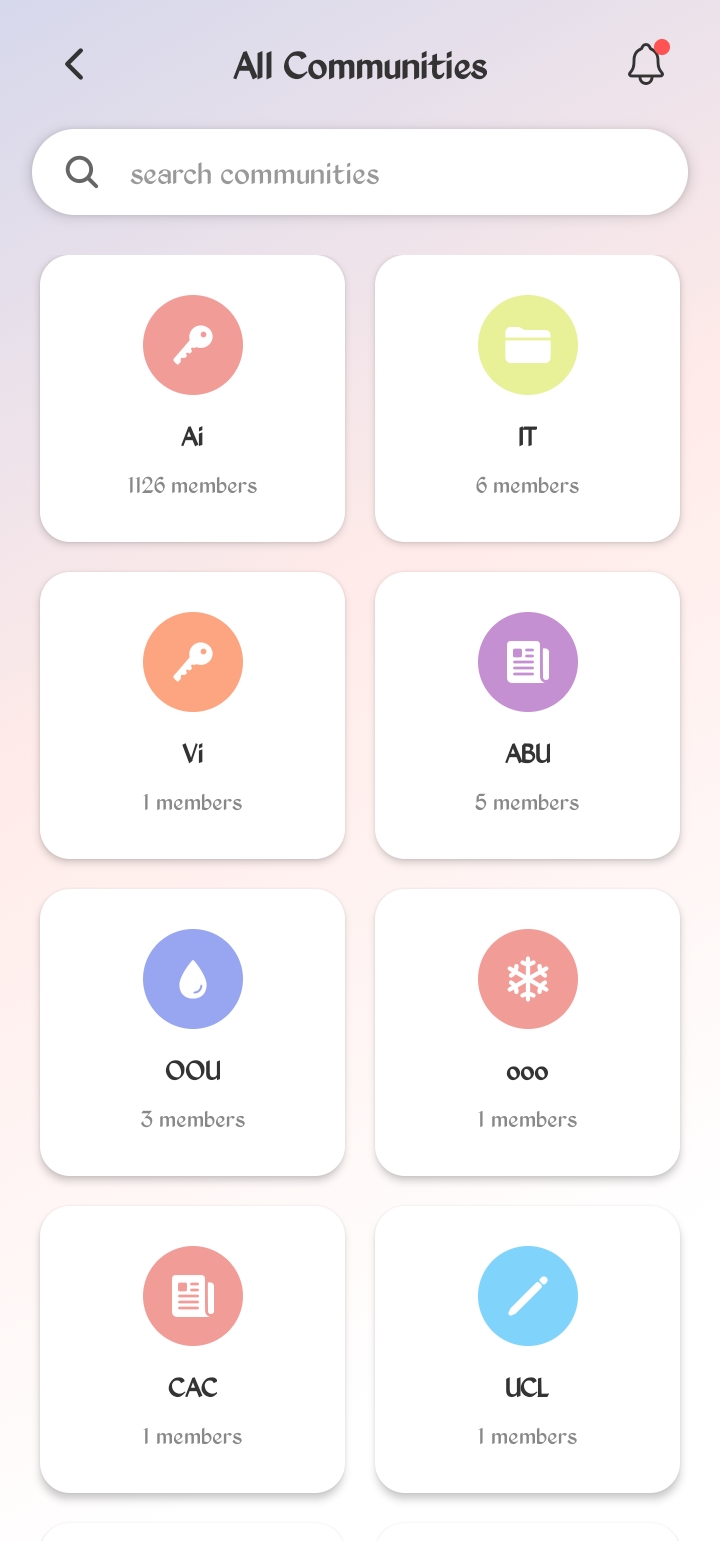
- You search for the community either using the search bar directly or clicking "All communities" and searching the related community there as shown in the Screenshot
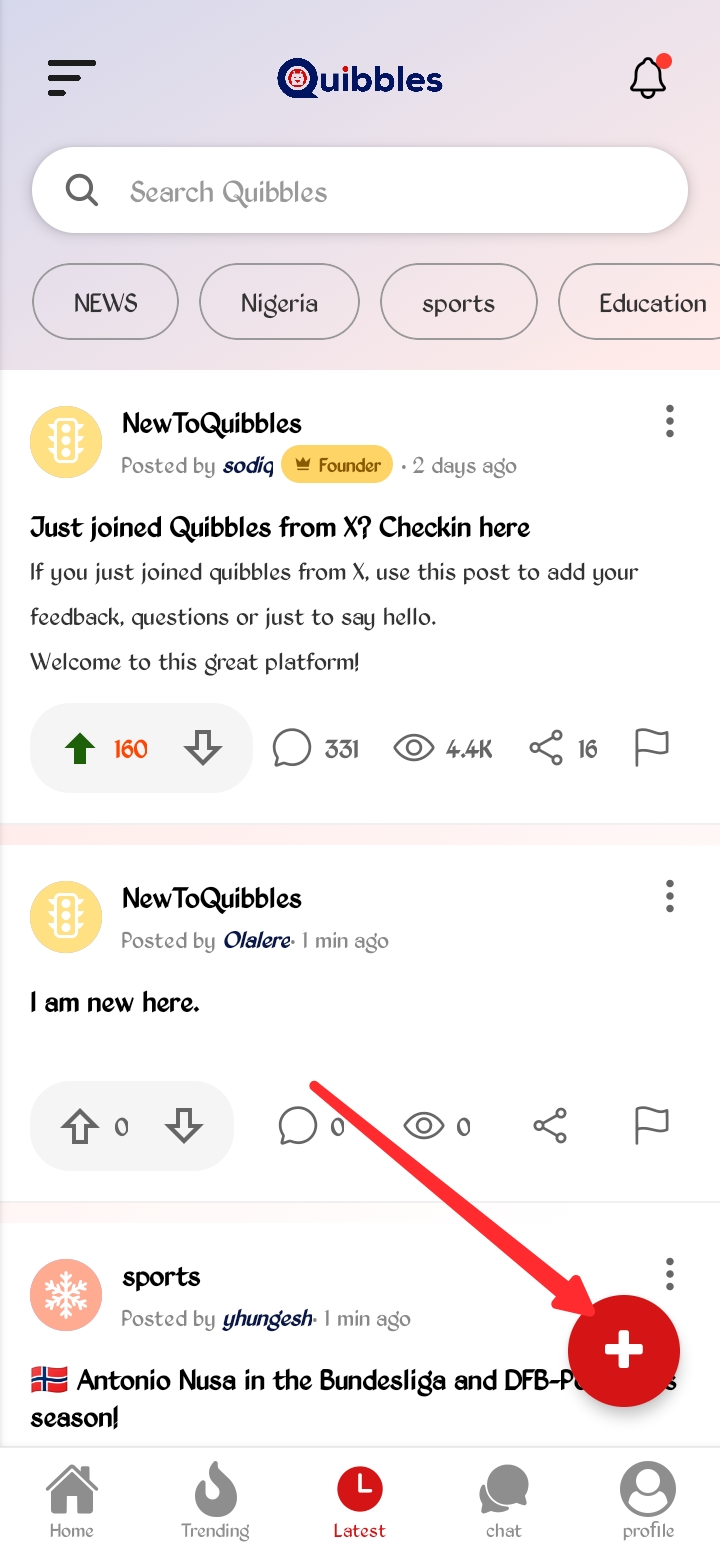
- You could also click the Red ➕ icon then search the community your post is related to
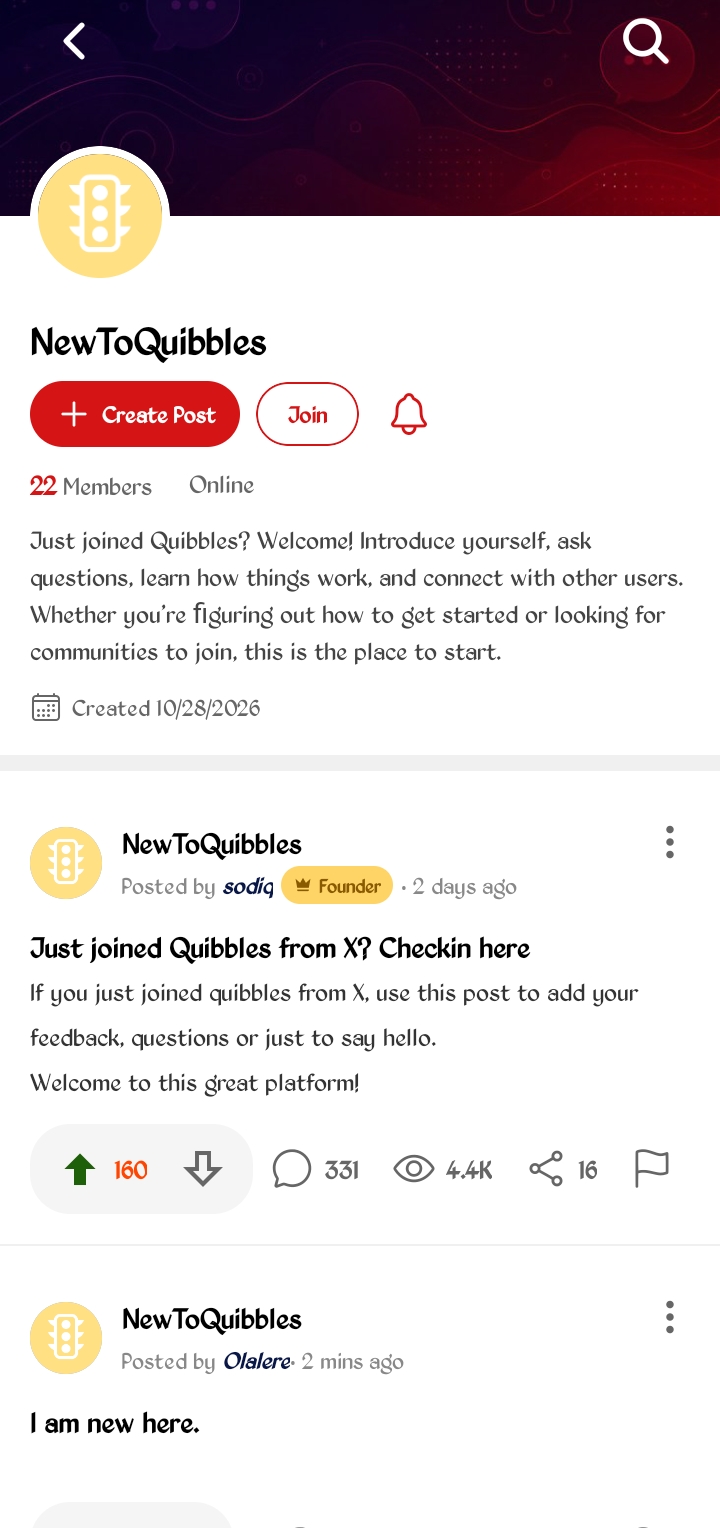
And you can also change the icon and cover photo of any community you created, it's done by clicking the little camera icon in the community and then choose from your gallery
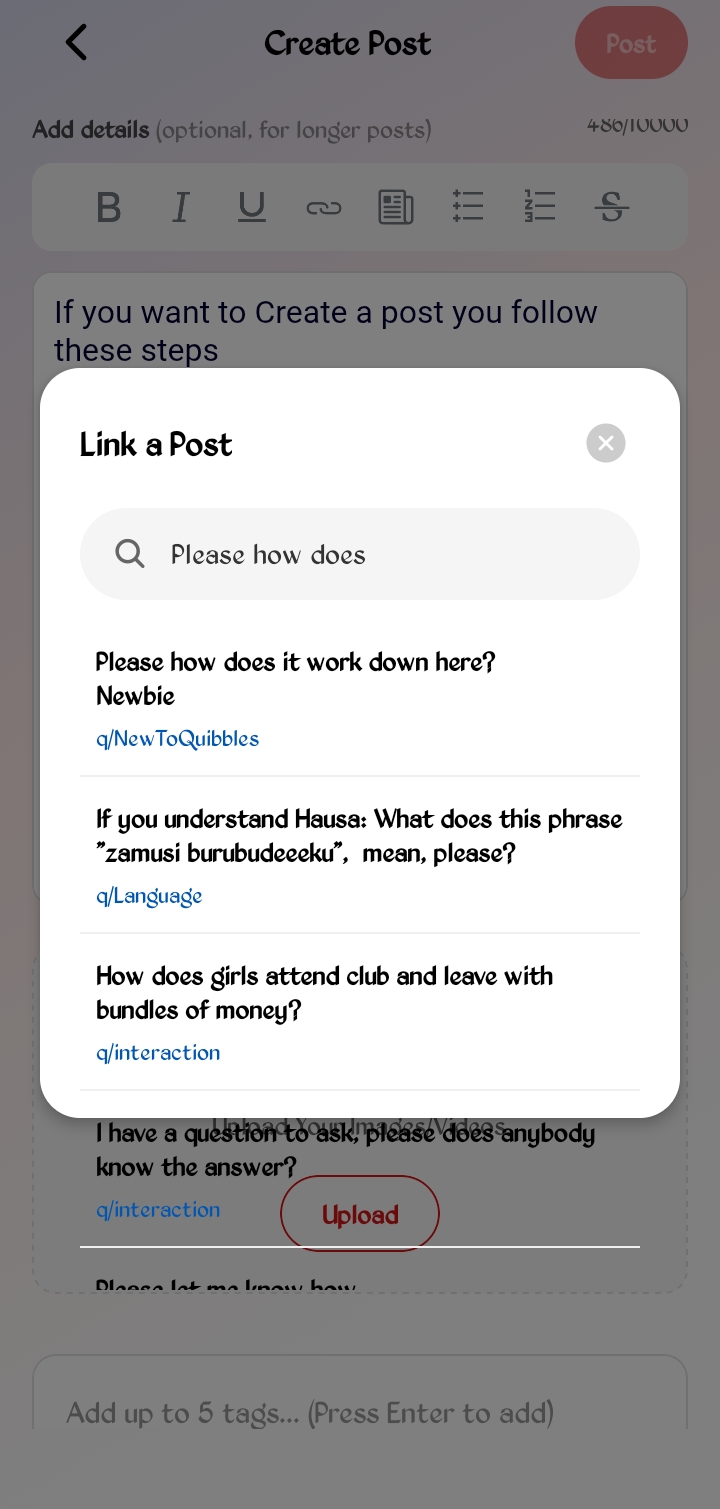
To Link a post like I did
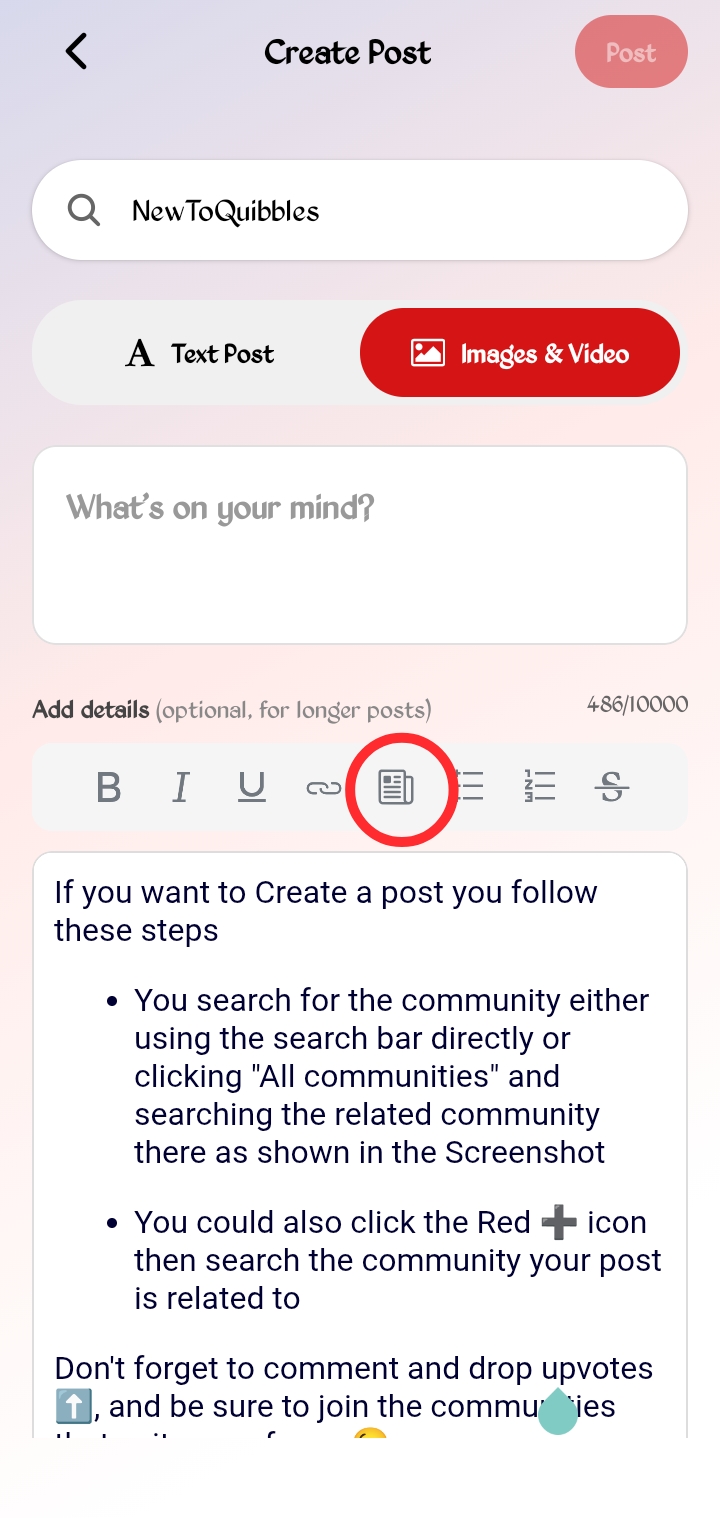
- You follow the steps in creating a post
- Then while typing the body of your post you click the newspaper like icon as shown and type the topic oof the post then simply click on it
You can also tag usernames in the comments by typing @ and then the username you want to tag
Don't forget to comment and drop upvotes ⬆️, and be sure to join the communities that suits your fancy 😉
33 comments
Log in to join the conversationThis app is amazing, but I have one suggestion for improvement. Please consider adding a Scroll-to-Top feature. When someone scrolls down to the bottom of a page or a long conversation, they should be able to simply tap the Home button and automatically return to the top without having to scroll all the way up manually.
I believe this small feature would make the app much easier and more convenient to use. Thank you!
Noted
Fixed now. The menu icons now show and you don’t have to scroll to the top again. Reload the app to get the updates.
I'm glad how you get to fix problems in a jiffy 🥹
Omoh see as your own quibbles dey look like Quibbles pro
i think it's the font
Yh it is, I've gotten so used to it that I forgot it wasn't default 😂
This is helpful.❤️
I love and appreciate how the admins of this platform always take their time to explain the navigation process here.❤️
Impressive
Great work
You guys are doing good
More improvements
This is helpful 🙏🏾🙏🏾🙏🏾
Thanks for sharing
You're welcome
@clawnie
Hi, I’m new here
Hi
Hey mama , it’s a pleasure to meet you on here
Thanks for this
Can you Trade crypto?
There is a community for this
Love this app already just like quora
Thank you
I’m new here, I hope to get connections & make friends 😅
Hi I’m here.
Yes am here.. and I will still be here when this app blows
Send me a screenshot of this when that happens. You might win a gift 😄
Ok boss
Make sense ✅
Hi
Sir if you post videos the sound and voice removes after posting it here why please
Send your post link here, let’s investigate. Other videos play successfully on this app but they are muted by default. So you have to unmute first.