
More like this
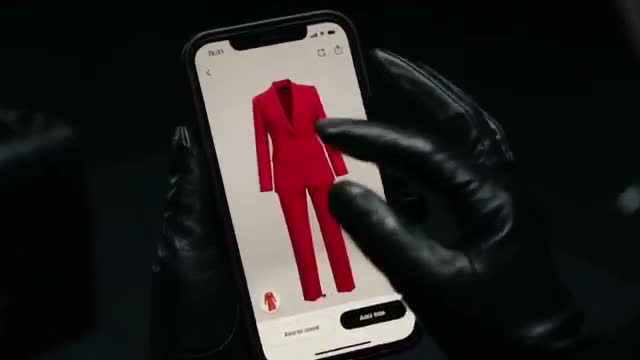
 Imagine creating a fashion campaign like this without booking a studio, hiring models, buying cameras or spending thousands on a photoshoot. 🤯🔥
This is one of the reasons I keep saying AI is more than just creating fine pictures. It's a skill you can turn into a business.
 Hi everyone.. Olamide here,
Let me go straight to the point without mixing up words, I currently own an AI agency where we create video and image ads for brands to increase sales through their advertising..
The reason why I'm making this post is because (please read the full message below).. 👇👇
Calling on all Ai creators. Please which reliable app or site do you use to create your Ai videos. Not Google flow and something that I don't need to pay. Thank you.
Google flow doesn't follow the songs.
Show more posts
10 comments
Log in to join the conversationDo not be in a hurry.
Take your time to learn, and do not neglect practicals. Always practice and implement whatever you learn.
As you practice, you'll become perfect.❤️
If you’re just starting with AI videos, don’t try to learn everything at once. Start small and follow a simple process:
1. Come up with your idea decide what story or message you want to create. (You're the creative director).
2. Write your script break the idea into scenes and dialogue. (Do this by yourself have your own idea, before taking it to Cluade AI or ChatGPT).
3. Create your characters and visuals generate the characters, locations, and images you need. (ChatGPT, Grok AI, Gemini AI, Google Flow etc can give realistic character reference images, by best is ChatGPT. )
4. Animate the images turn your still images into moving clips. (Google Flow does it effortlessly with the right prompt).
5. Add voice and sound add narration/dialogue, sound effects, and background music. (Google Flow can do this better. Just give it the right commands)
6. Edit everything together arrange your clips, sync the audio, add transitions, captions, and effects. (Use VN, CapCut, TikTok and YouTube for your edits and thank me later).
7. Export and post it then watch it back and learn what you can improve in the next one. (Always watch it to fish out mistake and effect corrections before uploading.
You don’t need to master every AI tool before you start. Pick one tool for each step, learn as you go, and keep making videos. Your first one probably won’t be perfect, and that’s okay. The more you create, the better you’ll get.
IMPORTANT: To avoid wasting free credits Always read your prompts and edit it before giving it as a command.
Thank You
Thanks, this is detailed!
Thank you, making things easier and more detailed is what I know how to do best 😇
Thanks for this ☺️
Thank you for engaging too
Have a story idea first and generate your prompt
It's step by step, from lower to higher
Prompt well make images consistent
Do your research first
What makes or breaks an ai video is mostly the story line